


Paylocity
4.726.16K Reviews
App Specs
- Version
- 26.7.7
- Updated On
- License
- Free
- Downloads
- 5,000,000+
- Developer
- Paylocity
- Categories
- Business
- Platform
- Android, iOS
Screenshots
 Analysis by AppCompare
If you’ve ever had to check a pay detail between shifts, find a workplace update while away from a desk, or remember whether you submitted a time-off request, you’ll understand the appeal of having work information in one mobile place. I see Paylocity as a companion to an employer’s HR and payroll setup, rather than a general-purpose business app: what you can do depends on how your organization uses the service. That distinction matters. It can make routine work admin easier to reach, but it is not a substitute for every HR conversation or a tool you can fully assess before your employer gives you access.
Using Paylocity in the flow of a workday
I find Paylocity most useful when I treat it as a quick doorway to work tasks, not as a place to explore without a purpose. In this section, I’ll focus on how that distinction affects everyday use: a short check can fit neatly into a break, while anything unclear or consequential deserves a slower follow-up. That leads naturally to a closer look at how comfortable the app is to read and navigate.
Readability and navigation in everyday tasks
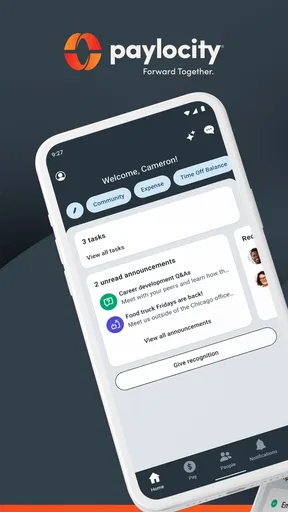
As a business app developed by Paylocity, it brings employee-facing workplace information to a phone. The main benefit is practical: instead of waiting until you are at a computer to look for an item your employer has made available, you can check the app when it suits you. I would judge its usefulness less by the number of sections it presents and more by whether the tasks your workplace relies on are easy to find and understand.
The app has a 4.7 average from around 243,000 ratings, and it has been installed over five million times. Those figures suggest it is widely used, but they cannot tell you whether your employer has enabled the parts you need or whether the app’s layout will work equally well for you. The version is 25.11.5, and it is free to download. The service’s value still depends on your organization’s setup and your account access.
For a straightforward task, a useful habit is to open the relevant area with a specific question in mind—such as checking a pay document or looking for an employer announcement—rather than browsing every section. This helps keep a quick check quick, especially when you are on a small screen or in the middle of another task. I would also confirm important work details through the appropriate workplace contact if the app’s wording or status is unclear; a mobile display is convenient, but it should not be treated as a substitute for resolving an ambiguous payroll or policy issue.
Motor and sensory considerations
Mobile access can be helpful for people who find it easier to check a phone than sit down at a computer, but convenience does not automatically make an interface suitable for every ability. A reader who has difficulty with small text, touch targets, screen glare, or extended screen use should try the app in their usual settings before relying on it for a time-sensitive task. Where available, phone-level display and input adjustments may make general mobile use more comfortable, though the experience can vary with the device and the app’s current screens.
There is also a difference between being able to reach information and being able to act on it comfortably. Reviewing a document, entering personal details, or completing a multi-step workplace task may demand more visual attention and precise tapping than a quick status check. I would avoid rushing those actions in a noisy or distracting place. If a screen reader, voice input, larger text, or another assistive setup is important to you, test the exact task you expect to use—not just the sign-in screen—and ask your employer for another route if something is difficult to complete.
Worth Reading Before You Choose

EA SPORTS FC Mobile 26 Is a Bigger Football Game, but It Takes Time

Flipboard Shows What News Apps Must Do Beyond the Feed

Switching to Android Auto Means Rethinking Your Driving Routine

Google Calendar Makes a Crowded Week Easier to Manage

Ludo King Makes the Most of the Minutes Between Plans

Baby Panda World Brings Quick Play to Modern Phones, but Its Game Library Feels Busy
Access that fits different work situations
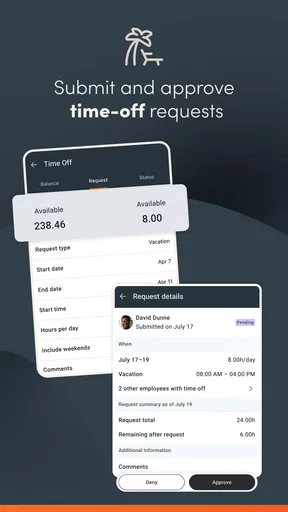
Paylocity is most useful when employees move between locations, work away from a desk, or need to check workplace information outside a fixed office routine. Imagine a staff member finishing a late shift who wants to see whether a time-off request is recorded before making plans. A phone-based check can save a return trip to a shared computer. If the status is not clear, however, the sensible next step is to follow up with the manager or HR team rather than assume that a request has been approved.
The same convenience can help someone who works on site but rarely uses a desktop, or an employee who wants to look up a work document during a break. It is less helpful when a person has no reliable access to a suitable phone, cannot comfortably use the screen, or prefers to keep work accounts off a personal device. In those cases, an employer-provided computer or direct assistance from HR may be a better fit. The app is a route into workplace services, not a requirement that every employee handle every task on a phone.
Where the mobile approach has limits
One important trade-off is that an employee app reflects the way an employer has configured and maintains its workplace services. Two people using the same product may not see the same options, because their organizations may use different processes or make different information available. Before depending on it for a particular task, check that your employer supports that task through the app and that your account is set up. If a section is unavailable, that does not necessarily mean the app is malfunctioning; the next step may be to ask your workplace how it handles the process.
Compared with a general HR website, a mobile app is handy for short, repeat checks but can be less comfortable for reviewing long documents, carefully comparing details, or entering a lot of information. A browser on a larger screen may be preferable for those jobs. Compared with email or a messaging app, a workplace platform can keep employee tasks and company communication closer together, but it does not remove the need to contact a person when a decision, explanation, or correction is needed. I would use each channel for what it does best rather than expecting the app to replace all workplace communication.
Who is likely to benefit—and who may prefer another route
I would recommend trying Paylocity if your employer already uses it and you want a convenient way to reach the work information and processes they make available. It is especially suited to employees who have regular access to a smartphone and mainly need brief, practical interactions rather than long sessions at a desk. Managers and HR teams may also find it useful as part of their organization’s broader employee-services setup, though the app should not be mistaken for a complete HR system independent of the employer.
It may not be the right primary option for someone who only needs a standalone payroll calculator, personal budgeting, or a way to manage pay from multiple unrelated jobs. Those needs call for a tool designed around personal finances rather than an employer-connected service. It may also be a poor fit if you do not want work information on your phone or if the app’s particular screens do not work well with your access needs. In those situations, ask whether your employer offers a web or in-person alternative before deciding that mobile access is essential.
Getting more value without creating extra friction
A small but useful approach is to separate routine checks from decisions that need confirmation. Use the app to locate the workplace information you need, then verify unclear or consequential details with the relevant person. For example, finding a request or document is not the same as confirming that a manager has acted on it. Keeping that distinction in mind can prevent the common mistake of treating a visible item as proof of completion.
It is also worth considering when and where you use it. A quiet moment and a stable connection are better for reading sensitive or detailed information than a crowded commute or a rushed break. If you share a device, think carefully before leaving a work account accessible to the next person, and follow your employer’s guidance for account security. These are sensible habits for any workplace app; they matter especially when the app brings employment information onto a personal screen.
An inclusive verdict on mobile workplace access
Paylocity’s strongest point is the possibility of reaching employer-related information without being tied to a desk. For employees whose workplace has configured the services they need, that can reduce small delays and make routine work admin easier to fit around a shift. Its limitations are just as important: access depends on the employer, a phone interface is not ideal for every task or every user, and a mobile route should not be the only option when someone needs a different way to read or act on information.
The app is free and rated for Everyone, so its basic age classification does not make it an adult-only download. Still, the information it connects to is workplace-specific, which means practical access is shaped by your employer and account. I would treat it as one useful channel among several: try the tasks you actually need, notice whether they are comfortable to complete, and keep a direct HR or manager contact available for anything unclear or important.
Getting Started with Paylocity
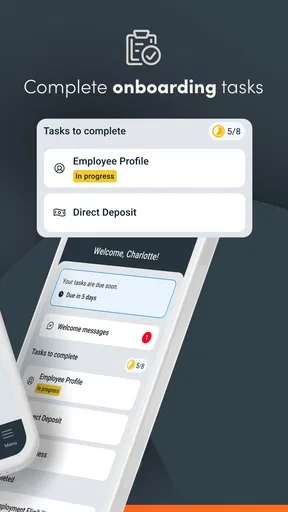
First things first, setting up Paylocity is a breeze. You download it from either the App Store or Google Play, and you're good to go. The interface is intuitive, which means you won't need a manual to navigate through the different sections. Everything is laid out clearly, making it easy to access your payroll, benefits, and even performance reviews.
Features That Stand Out
What really caught my eye was the app’s ability to handle payroll processing like a pro. It keeps everything organized and accessible, allowing employees to view their pay stubs, tax forms, and even request time off with minimal fuss.
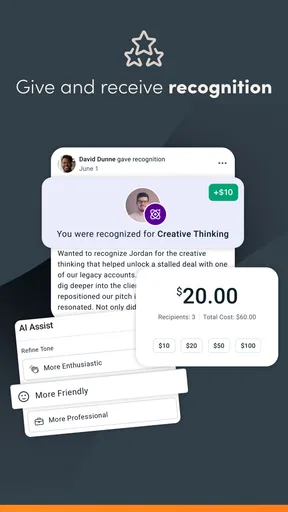
The HR hub is another feature that deserves a mention. It’s not just for the HR pros; employees can engage with the system too. From updating personal information to enrolling in benefits, the app makes it all seamless. Plus, there's a nifty feature for performance tracking which helps in setting goals and receiving feedback. It’s like having a performance coach right in your pocket!
Communication and Collaboration
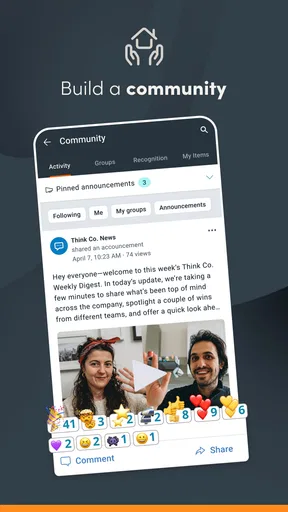
One of the underrated aspects of Paylocity is its communication tools. There's a social feed that keeps everyone in the loop, fostering a sense of community within the company. Whether it's company-wide announcements or departmental updates, the app ensures everyone is on the same page.
For those who are big on collaboration, the app integrates with various platforms, allowing for easy sharing of documents and resources. It’s all about making the workplace more connected and efficient.
Security? They've Got It Covered
Now, I know what you're thinking — how secure is all this sensitive information? Well, Paylocity has robust security measures in place. With multi-factor authentication and data encryption, your information is well-protected, giving you peace of mind as you manage your HR tasks.
The app also sends out regular updates to ensure everything runs smoothly, addressing any potential vulnerabilities promptly.
Final Thoughts
All in all, Paylocity is a powerful tool for anyone looking to simplify their HR and payroll processes. It’s easy to use, packed with features, and offers a level of convenience that’s hard to beat. Whether you're a small business owner or part of a larger corporation, this app is designed to make your life easier.
So, if you're ready to take the hassle out of HR, give Paylocity a try. It might just be the upgrade your business needs!
Pros
- User-friendly interface for easy navigation.
- Comprehensive payroll management features.
- Seamless integration with other HR tools.
- Mobile access for on-the-go management.
- Robust data security measures.
Cons
- Limited customization options for reports.
- Occasional lag in app performance.
- Customer support response time varies.
- Some features require additional fees.
- Initial setup can be time-consuming.
FAQs for Paylocity
What is Paylocity and what features does it offer?
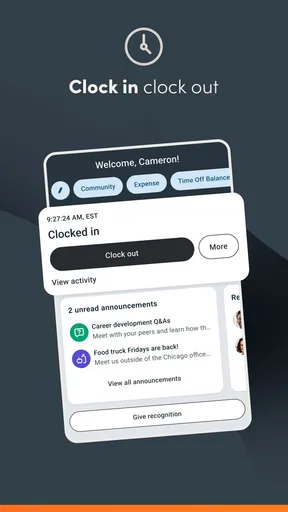
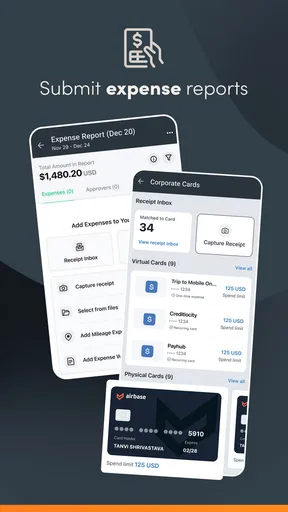
Paylocity is a comprehensive HR and payroll management app designed for businesses of all sizes. It offers features such as payroll processing, benefits administration, time tracking, and employee self-service. The app also includes tools for performance management, recruiting, and reporting, making it a versatile solution for managing various HR tasks efficiently.
Is Paylocity secure to use for sensitive employee information?
Yes, Paylocity prioritizes security and employs multiple layers of protection to safeguard sensitive employee information. The app uses encryption protocols, secure login processes, and regular security audits to ensure data integrity and confidentiality. Additionally, Paylocity complies with industry standards and regulations to protect user data effectively.
Can Paylocity integrate with other software systems?
Paylocity is designed to integrate seamlessly with various third-party software systems, including accounting, ERP, and other HR platforms. This flexibility allows businesses to streamline operations and improve data accuracy by ensuring that information flows smoothly between systems. Users should check specific integration options based on their existing software infrastructure.
How user-friendly is the Paylocity app for employees and administrators?
The Paylocity app is designed with both employees and administrators in mind, offering an intuitive and user-friendly interface. Employees can easily access their pay stubs, submit time-off requests, and view benefits information. Administrators have access to robust tools for managing payroll, employee data, and HR processes, all within a streamlined dashboard.
What kind of customer support does Paylocity provide?
Paylocity offers comprehensive customer support to address any user concerns or technical issues. Support options include live chat, phone support, and an extensive knowledge base with guides and tutorials. Additionally, Paylocity provides dedicated account managers for personalized assistance, ensuring users get the help they need promptly and efficiently.


